
Upsell pages with more than one offer
Several offers, each with its own accept button
If each offer has its own accept button — the usual Checkout Champ layout — Medpaid identifies each one automatically from Checkout Champ’s product data. Install the snippet once on the page, with no data-product-id, and each offer is handled on its own: its own questions, its own panel, and only its own accept button held while they are outstanding.
You only need to mark the offers when a custom layout stops the automatic match from telling which button buys which product — you will see it in the console with data-debug="true": offers discovered N does not match your real offer count, or it warns that two offers resolve to the same accept button. Marking is also how you correct a single offer the match mapped to the wrong product. Wrap each offer in an element carrying data-medpaid-product-id set to that offer’s base product id, with that offer’s accept button inside it.
<!-- the snippet, once per page. No data-product-id when you mark offers. -->
<script data-browser-key="YOUR_BROWSER_KEY" data-env="prod" data-debug="false">
  ...
</script>

<!-- then each offer, marked, with its OWN accept button inside it -->
<div data-medpaid-product-id="YOUR_BASE_PRODUCT_ID_FOR_OFFER_1">
  <h3>Offer 1</h3>
  <a href="#" class="accept">YES, I WANT THIS</a>
</div>

<div data-medpaid-product-id="YOUR_BASE_PRODUCT_ID_FOR_OFFER_2">
  <h3>Offer 2</h3>
  <a href="#" class="accept">YES, I WANT THIS</a>
</div>

<div data-medpaid-product-id="YOUR_BASE_PRODUCT_ID_FOR_OFFER_3">
  <h3>Offer 3</h3>
  <a href="#" class="accept">YES, I WANT THIS</a>
</div>
Marking always wins over the automatic match, so it is also how you correct a product the match got wrong. A page whose offers each already have their own accept button needs neither marking nor a data-product-id.
data-debug="true". The console prints[Medpaid upsell] offers discovered N. If N is not the number of offers on the page, the markup is wrong. It also warns when two offers resolve to the same accept control, naming which one will run ungated.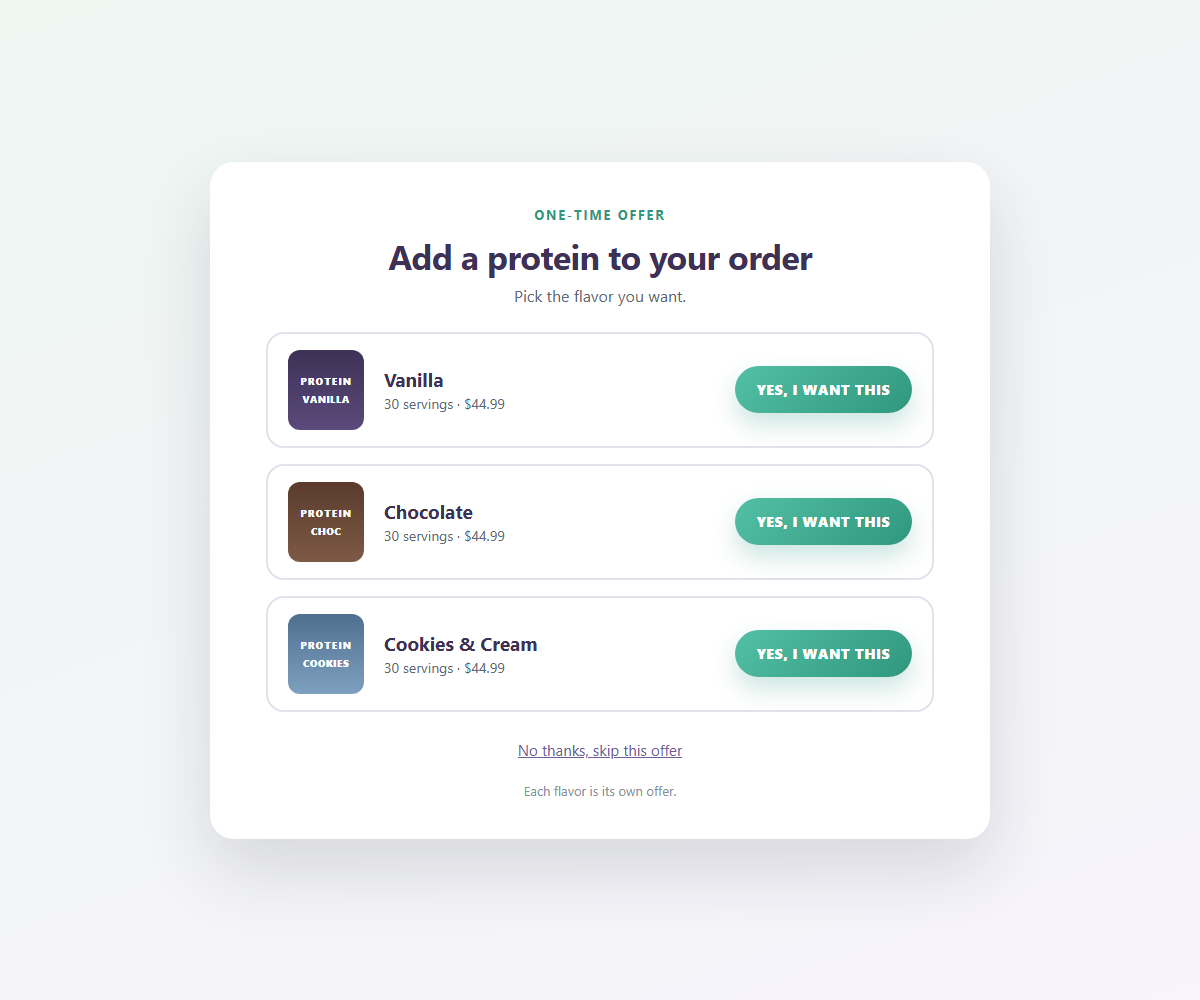
Several offers, one shared accept button
This is Checkout Champ’s default page-builder output: a list of product checkboxes with a single “YES, I WANT THIS” button below them. It is the common default, not an unusual setup. It does not work yet — if your page looks like this, wait for this section to go live rather than debugging the install.
<div class="form-check fk-product-checkbox-button-parent" id="cc-id-hvFQ0kKSYTE4"
     data-medpaid-product-id="54">
  <input name="product" class="fk-product-checkbox form-check-input ..." value="54"
         type="checkbox" variantvalue="">
  <label class="form-check-label fk-product-checkbox-label">Unflavored</label>
  <label class="form-check-label fk-product-checkbox-label"
         style="float:right">$39.99</label>
</div>

<!-- same for 53 Vanilla $44.99 and 55 Chocolate $44.99 -->

<!-- then ONE shared accept button, outside all three -->
<a data-id="fkt-link-3c0-aba-9dc" action="submit" onclick="linkMethod(event, true)"
   upsell="">YES, I WANT THIS</a>